


Page 88 - IBT August 2021 Issue
P. 88
Tech                                                                                 Windows 11


 With the official unveiling of the new successor of   Improved multitasking
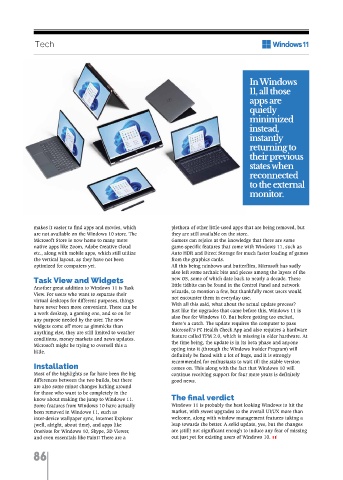
 the operating system, it’s time to delve into the full   with Snap Desktop                In Windows
 scope of the update. Years ago, Microsoft had                                             11, all those
 promised that Windows 10 would be the last   It remains a mystery who liked the whole scruffy
 version of Windows, to be only augmented further   process of dragging and dropping apps on the   apps are
 by incremental updates. This begs the question,   desktop to view multiple windows simultaneously,   quietly
 what makes Windows 11 worth the big bang   but that has been improved by a lot. Windows 11
 release? It’s time for the full scoop.  has introduced a tiling template option that gives   minimized
 To start right off the bat with the most obvious,   users the option to now view and arrange three to   instead,
 Windows 11 is built on the same core architecture   four windows in preset positions. This sweet little
 as its predecessor, but with a whole new look and   feature allows seamless snapping and also   instantly
 change in user experience.  restoration of app windows with just one click.               returning to
 The first thing you are going to notice as the new   Multi-monitor support has also improved   their previous
 OS boots up is the change in the Start Menu and   significantly. Remember how haphazardly all the
 taskbar. The Start Menu takes the center stage,   apps and software get scattered on one screen when   states when
 literally, now being in the middle of the taskbar   external/additional monitors are disconnected? In   reconnected
 along with the other icons, following the design   Windows 11, all those apps are quietly minimized
 language of macOS and ChromeOS. This comes   instead, instantly returning to their previous states   to the external
 across as a welcome change, having a clean   when reconnected to the external monitor. While   monitor.
 aesthetic appeal. However, a big concern for many   this may seem trivial, it is indeed a subtly brilliant
 users will be the inconvenience of muscle memory   tweak to the user experience.
 from decades of moving to the lower-left corner to
 reach the Start menu, (I can already foresee the
 messages on the forums and Reddit) but to
 alleviate their concerns, Microsoft has thrown in   makes it easier to find apps and movies, which   plethora of other little-used apps that are being removed, but
 the ability to revert back to the side layout. The bad   are not available on the Windows 10 store. The   they are still available on the store.
 news though, is that the taskbar can no longer be   Microsoft Store is now home to many more   Gamers can rejoice at the knowledge that there are some
 pinned to any of the sides of the screen and need to   native apps like Zoom, Adobe Creative Cloud   game-specific features that come with Windows 11, such as
 stay at the bottom only.  etc., along with mobile apps, which still utilize   Auto HDR and Direct Storage for much faster loading of games
 File explorer retains most of its arrangement, with   the vertical layout, as they have not been   from the graphics cards.
 the three panes still remaining intact, but the   optimized for computers yet.   All this being rainbows and butterflies, Microsoft has sadly
 ribbons and shortcut menus do get a design refresh,           also left some archaic bits and pieces among the layers of the
 making them much easier to look at. Clicking on   Task View and Widgets  new OS, some of which date back to nearly a decade. These
 the Start Menu previously displayed the list of   Teams Chat integration  Another great addition to Windows 11 is Task   little tidbits can be found in the Control Panel and network
 programs installed on the computer, along with the   View. For users who want to separate their   wizards, to mention a few, but thankfully most users would
 live tiles, weather, and some Microsoft apps. Now it   With remote work becoming more and more   virtual desktops for different purposes, things   not encounter them in everyday use.
 primarily shows the apps that have been pinned by   prevalent worldwide, Microsoft Teams has seen a   have never been more convenient. There can be   With all this said, what about the actual update process?
 the user, with the search bar to help locate the apps   surge in users, replacing the likes of Zoom, Skype,   a work desktop, a gaming one, and so on for   Just like the upgrades that came before this, Windows 11 is
 used less frequently. Another nifty but amazing   and Slack. Windows 11 has decided to bring its   any purpose needed by the user. The new   also free for Windows 10. But before getting too excited,
 addition is the recommendations option, which   native communication app to the forefront, with   widgets come off more as gimmicks than   there’s a catch. The update requires the computer to pass
 displays the recent documents or projects, which   options to chat and call being integrated into the   anything else, they are still limited to weather   Microsoft’s PC Health Check App and also requires a hardware
 makes the overall experience a lot more personal   main taskbar. This makes quick messaging a breeze,   conditions, money markets and news updates.   feature called TPM 2.0, which is missing in older hardware. At
 and, of course, convenient. This may come across   even allowing calls to be made directly to video or   Microsoft might be trying to oversell this a   the time being, the update is in its beta phase and anyone
 as nitpicking, but this seems more of a feature that   audio to iOS and Android devices, regardless of   little.  opting into it (through the Windows Insider Program) will
 should be in the Search Menu rather than the Start   whether the other party has the app installed or not.  definitely be faced with a lot of bugs, and it is strongly
 Menu. Speaking of search, the button is no longer a   Installation   recommended for enthusiasts to wait till the stable version
 giant horizontal box sticking out like a sore thumb,   Android apps...on Windows?  Most of the highlights so far have been the big   comes on. This along with the fact that Windows 10 will
 rather a small icon that just blends in rather   One of the biggest changes that came to Windows   differences between the two builds, but there   continue receiving support for four more years is definitely
 beautifully. These little changes show a very   11 is the Windows Subsystem for Android, which   are also some minor changes lurking around   good news.
 user-friendly and appealing design thinking from   brings native support for Android apps to Windows.   for those who want to be completely in the
 Microsoft, which is highly likely to resonate   Android apps can be installed from the Amazon App   know about making the jump to Windows 11.   The final verdict
 positively with the users.  Store, or sideloaded from installer packages. The   Some features from Windows 10 have actually   Windows 11 is probably the best looking Windows to hit the
 It’s time to bid Cortana goodbye from the built-in   addition of native Android app support makes the   been removed in Windows 11, such as   market, with sweet upgrades to the overall UI/UX more than
 app section of Windows 11, although it is unclear   list of available apps for Windows an even bigger   inter-device wallpaper sync, Internet Explorer   welcome, along with window management features taking a
 how much grief her passing will generate, for those   one. The Microsoft Store itself also gets a design   (well, alright, about time), and apps like   leap towards the better. A solid update, yes, but the changes
 who will be hit the hardest, they can always   rehaul that makes its interface much cleaner and   OneNote for Windows 10, Skype, 3D Viewer,   are (still) not significant enough to induce any fear of missing
 download it back from the store.  vastly more coherent. The newly designed store also   and even essentials like Paint! There are a   out just yet for existing users of Windows 10.


             86

